Daily Archives: January 2, 2009

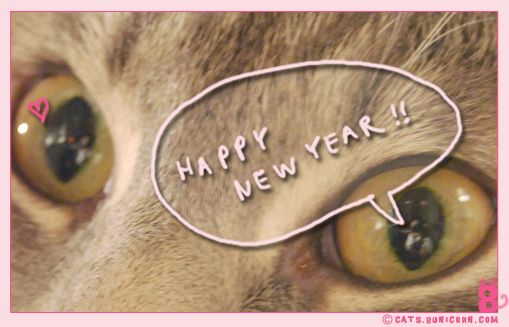
happy meowyear!

maman: meow ash! do you wanna help me?
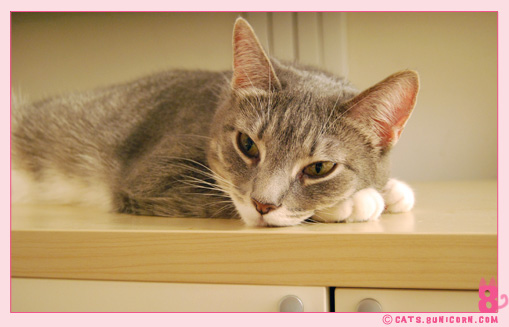
happy_new_year_01.jpg

ash: hm? what can i do for you?

maman: that’s it! hold it ash!!
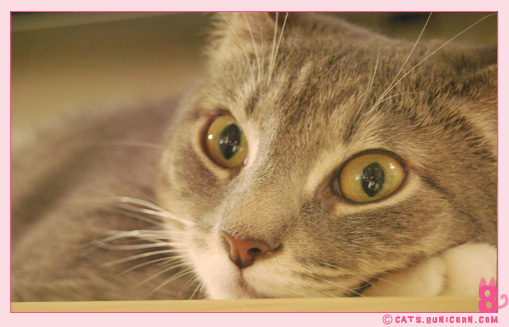
happy_new_year_02.jpg

happy_new_year_03.jpg

hehe.. I was in her eyes!! can’t you see me? I was taking a photo of her.

kirakira.gifkirakira.gifkirakira.gif

Thank you so much for your thoughtful comments on

the post about Bobbi & the Strays shelter.

I deeply appreciated to hear that some of you made

donation for them. I’m sorry that I didn’t get back to you sooner,

somehow my e-mail notification for comments didn’t work.

Some of you were confused how to leave us a comment,

and I wish I can change the system,

but this is a default setting and I don’t think I can change that…

 So, I made this little tutorial How to Comment on our blog!

kirakira.gifkirakira.gifkirakira.gif

We are wishing you a wonderful new year 2009 to all of you and kittens!!
How to Comment on our blog!

First of all, thank you so much for always giving us warm comments!

Some of you were confused how to leave us a comment… and I wish I can change the

system, but this is a default setting and I don’t think I can change that…

So, I made this little tutorial How to Comment on our blog!

//////////////////////////////////////////////////////////////////////////////

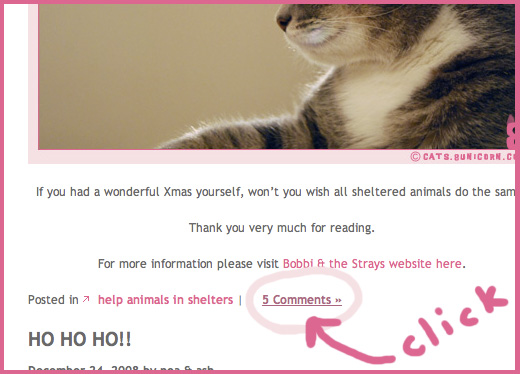
STEP 1: please click that section indicated below.

comment_11.jpg

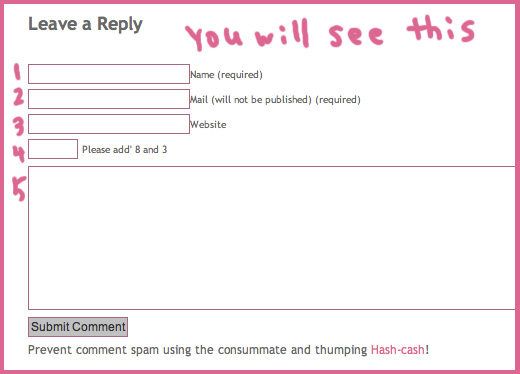
STEP 2: You will see this form,

comment_22.jpg

STEP 3: Please fill out the boxes 1 though 5.

BOX 1: your name

BOX 2: your e-mail address

BOX 3: your website (if you have one)

BOX 4: this is the tricky one. It’s just simply mean you need to put the answer the

addition of two numbers indicated next to the box 4.

For instance, this says “Please add’ 8 and 3″ that means 8 + 3. So you need to fill

out 11 as an answer to be able to post.

BOX 5: Write whatever you want!! we love to hear your thoughts, comments,

or just say meow!

I hope this tutorial makes it easy for you to post.

Thank you !